
 Vite Shift
Your work schedule, organized with AI
Keep all your shifts in one place, share schedules with your team, and let the AI assistant find shift swaps for you. Offer shifts you can’t work, get swaps approved by your manager and export a clean monthly PDF.
Your schedule in 3 simple steps
From your schedule to a confirmed swap in minutes.
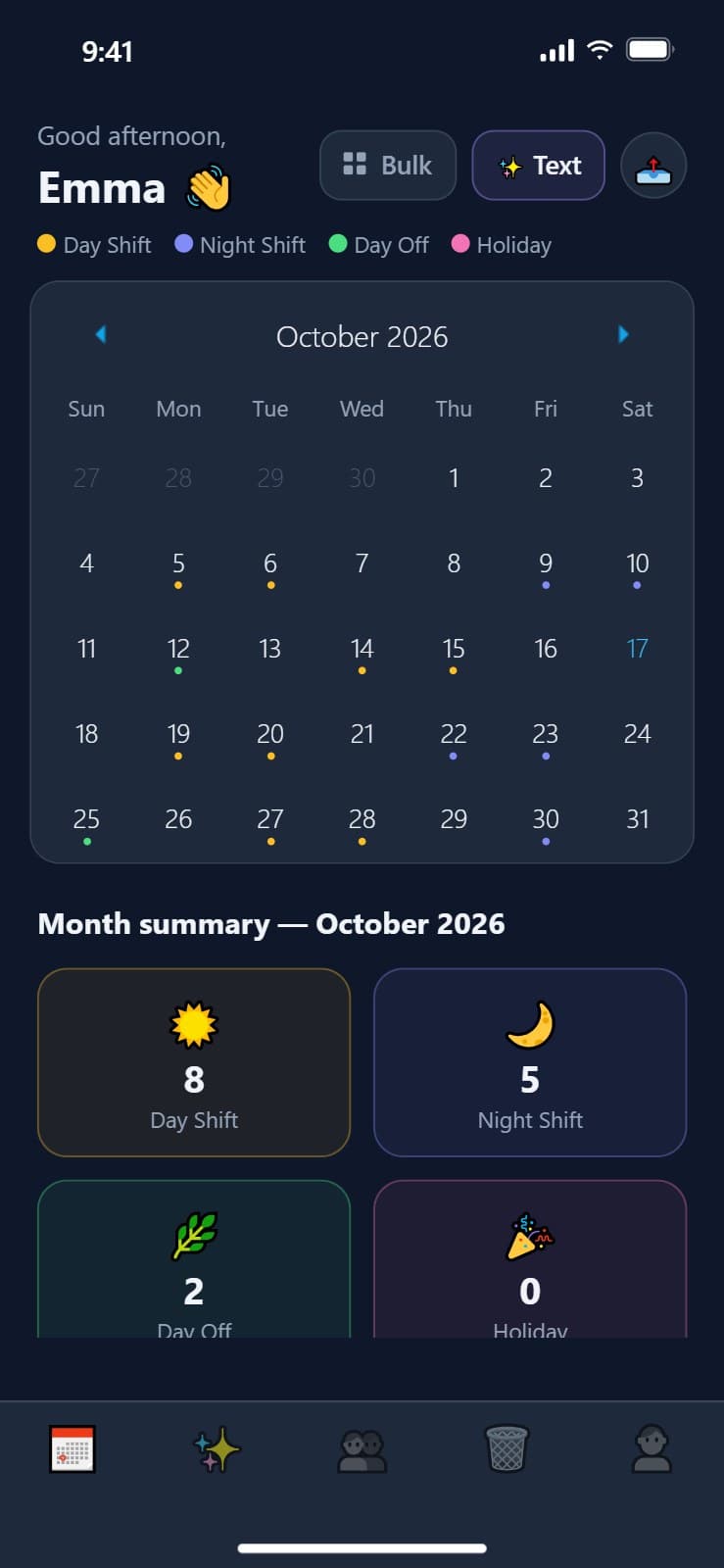
Add your shifts
Tap a day or add several shifts at once — day, night, 8h or 12h.
Join your team
Create a group with your colleagues and see everyone's schedule in one place.
Swap with AI
Ask the AI assistant who can cover a shift. It suggests swaps that fit — you confirm in one tap.
A closer look at the app
Everything you need to manage your shifts
AI Swap Assistant
Ask who can cover a shift. The AI checks your group’s schedules and suggests swaps — you confirm in one tap.
Shift Offers
Can’t work a shift? Offer it to your group and let a colleague pick it up.
Manager Approval
Swaps can go to your manager for approval, and every request shows its status: pending, accepted or rejected.
Team Groups
Create a group and invite colleagues with a code or QR code to see everyone’s schedule.
PDF Export
A monthly PDF with your totals, hours, calendar and the full list of shifts.
Day, Night & Holidays
Track 8h and 12h day and night shifts, days off and holidays — one at a time or in bulk.
Cloud Sync & Web Portal
Your schedule stays in sync across your phone, tablet and the web portal.
Clear Shifts
Remove a whole month, a single shift, or start over in seconds.
Take control of your schedule today
Available now on iOS and Android.


Vite Shift Portal
Manage your shifts, view reports and sync your schedule online.